
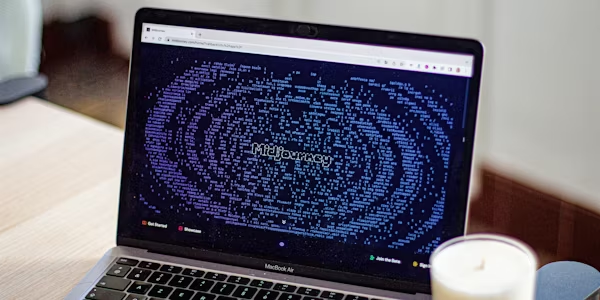
If you need to create stunning visual content without a photographer, illustrator or design budget — Midjourney has become the tool most creative professionals reach for first. In 2026 AI image generation has matured significantly and Midjourney remains at the top of the pile. This is our honest review.
What is Midjourney?
Midjourney is an AI image generation tool that creates stunning, photorealistic and artistic images from text descriptions. You describe what you want — in plain English — and Midjourney generates it.
The results are remarkable. In 2026 Midjourney produces images that are genuinely difficult to distinguish from professional photography or illustration — and it does it in seconds.
Unlike most AI tools Midjourney doesn’t have a traditional web app interface. It operates primarily through Discord — the popular messaging platform — which takes some getting used to but becomes second nature quickly.
How Does Midjourney Work?
Getting started with Midjourney requires a Discord account. Once you’ve joined the Midjourney Discord server you generate images by typing commands in designated channels.
The basic command is simple:
/imagine [your description here]
For example: /imagine a professional home office with natural lighting, minimalist design, laptop on desk, photorealistic
Midjourney generates four image variations based on your description. You can then upscale your favourite, generate variations or start again with a refined description.
The more specific and detailed your description the better the results. Learning to write effective image prompts — called “prompt engineering” — is a skill that develops quickly with practice.
What’s New in Midjourney in 2026?
Midjourney has continued to improve significantly. The latest version produces images with:
- More accurate handling of human faces and hands — historically a weakness of AI image generation
- Better understanding of complex scene compositions
- More consistent style across multiple generations
- Improved photorealism for product and commercial photography
- A web interface that reduces reliance on Discord for basic use
The gap between Midjourney and professional photography or illustration has narrowed considerably and for many commercial use cases it’s now a genuine alternative.
What Can You Use Midjourney For?
The range of practical applications is broader than most people realise:
Marketing and advertising — product images, campaign visuals, social media content and advertising creative. Many small businesses now use Midjourney for marketing visuals instead of stock photography.
Content creation — blog post featured images, YouTube thumbnails, social media graphics and website imagery. Canva integrates with AI image generation but Midjourney produces significantly higher quality results for complex images.
Product design and prototyping — visualising product concepts, packaging designs and brand mockups before committing to production.
Publishing and writing — book covers, article illustrations, presentation visuals and editorial imagery.
Architecture and interior design — visualising spaces, design concepts and renovation ideas.
Personal and creative projects — art prints, custom illustrations, creative exploration and personal projects.
Midjourney Pricing
Unlike most AI tools Midjourney doesn’t have a free plan — all paid tiers:
Basic Plan — $10/month. Around 200 image generations per month. Good for casual users exploring the tool.
Standard Plan — $30/month. Unlimited relaxed generations plus 15 hours of fast generation. The most popular plan for regular users.
Pro Plan — $60/month. More fast generation hours, stealth mode for private generations and higher usage limits.
Mega Plan — $120/month. Maximum usage for heavy professional users.
For most individual users the Basic plan at $10/month is a good starting point. Move to Standard when you find yourself hitting the generation limits regularly.
Midjourney vs DALL-E vs Adobe Firefly
The AI image generation market has several strong competitors. Here’s the honest comparison:
| Tool | Quality | Price | Ease of Use |
|---|---|---|---|
| Midjourney | ⭐⭐⭐⭐⭐ | From $10/month | Medium |
| DALL-E (ChatGPT) | ⭐⭐⭐⭐ | Included with ChatGPT Plus | Easy |
| Adobe Firefly | ⭐⭐⭐⭐ | Included with Adobe plans | Easy |
| Stable Diffusion | ⭐⭐⭐⭐ | Free (self-hosted) | Hard |
Midjourney produces the highest quality results — particularly for artistic and photorealistic images. The Discord interface is less intuitive than competitors but the quality gap justifies the learning curve for most professional users.
DALL-E through ChatGPT is the most convenient option if you’re already paying for ChatGPT Plus. Quality is very good — not quite Midjourney level for complex images but more than sufficient for most everyday use cases.
Adobe Firefly is the best option for existing Adobe users and produces commercially safe images — all training data is licensed which matters for commercial use.
Is Midjourney Worth Paying For?
If you create visual content regularly — yes. At $10/month for the Basic plan it’s one of the more affordable creative tools available and the quality of output far exceeds what you’d get from stock photography for the same budget.
If you only occasionally need custom images — the image generation included with ChatGPT Plus is probably sufficient without adding another subscription.
If you’re a professional creative, marketer or content creator — Midjourney is worth the Standard plan at $30/month. The quality and volume of generations at that tier make it genuinely viable for professional commercial work.
Getting Started With Midjourney
- Create a free Discord account at discord.com
- Go to midjourney.com and click Join the Beta
- Subscribe to a plan
- Start generating images in the Midjourney Discord server
The learning curve is steeper than most AI tools but Midjourney’s community is large and helpful — finding prompt inspiration and tips is easy through the Discord server and countless online resources.
The Verdict
Midjourney remains the gold standard for AI image generation in 2026. The quality is unmatched, the range of applications is broad and the pricing is reasonable for the value delivered. If visual content matters to your work or business it belongs in your AI toolkit.
The Discord interface remains a barrier for some users — but for those willing to spend an hour getting comfortable with it the results are worth it.
Recommended Products on Amazon
For creatives and content creators upgrading their setup:
- Monitor for Home Office — a quality monitor makes a significant difference when working with high resolution AI generated images
- Wireless Mouse — smooth navigation makes working with images and design tools much more comfortable
- The Coming Wave by Mustafa Suleyman — essential reading for anyone working in creative industries wanting to understand where AI is heading
This article contains affiliate links. If you purchase through our links we may earn a small commission at no extra cost to you. This helps us keep this website free and updated.