
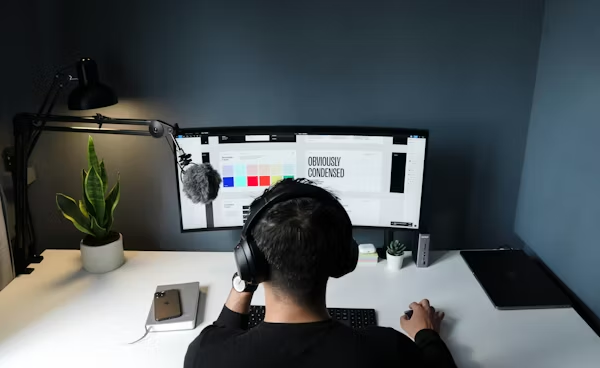
Freelancing in 2026 means you have access to some of the most powerful AI tools ever created. Whether you’re a freelance writer, designer, developer, marketer or consultant — AI tools can help you work faster, deliver better results and take on more clients. In this guide we cover the best AI tools for freelancers in 2026.
Why Freelancers Need AI Tools
As a freelancer your income depends directly on your productivity. AI tools can help you:
- Complete projects faster without sacrificing quality
- Take on more clients without burning out
- Produce better work that commands higher rates
- Automate repetitive tasks and admin
- Stay organised and meet deadlines consistently
- Claude by Anthropic
⭐️⭐️⭐️⭐️⭐️
Best for: Writing, research, client communications and analysis
Claude is the ultimate AI assistant for freelancers. It can write client proposals, draft professional emails, create content, summarise briefs and research any topic in minutes. Claude’s natural writing style means your work always sounds professional and human — crucial for maintaining client relationships.
How freelancers use Claude:
- Writing client proposals and pitches
- Drafting professional emails and communications
- Creating content and written deliverables
- Researching topics and industries quickly
- Summarising long client briefs and documents
Pricing: Free plan available. Claude Pro ~£16/month
Best for: All freelancers especially writers, consultants and marketers
- Canva AI
⭐️⭐️⭐️⭐️⭐️
Best for: Design deliverables, presentations and visual content
For freelancers who need to create visual content Canva AI is indispensable. It lets you produce professional design work without expensive software or design expertise. Create stunning presentations, social media graphics, reports and marketing materials in minutes.
How freelancers use Canva AI:
- Creating client presentations and pitch decks
- Designing social media content for clients
- Building branded marketing materials
- Generating AI images for projects
- Creating professional reports and proposals
Pricing: Free plan available. Canva Pro ~£10/month
Best for: Freelance designers, marketers, social media managers
- Grammarly
⭐️⭐️⭐️⭐️⭐️
Best for: Proofreading and professional communications
Every freelancer who writes needs Grammarly. It ensures your client communications, proposals and deliverables are always polished and professional. One typo in a client proposal can cost you a contract — Grammarly prevents that.
How freelancers use Grammarly:
- Proofreading client deliverables
- Polishing proposals and pitches
- Improving email communications
- Checking tone and clarity
- Ensuring professional writing standards
Pricing: Free plan available. Grammarly Premium ~£10/month
Best for: All freelancers who write
- ChatGPT by OpenAI
⭐️⭐️⭐️⭐️⭐️
Best for: Brainstorming, coding and quick tasks
ChatGPT is a brilliant tool for freelancers who need quick ideas, coding help or fast content. Its huge plugin ecosystem means it can connect with your existing workflow tools and automate a wide range of tasks.
How freelancers use ChatGPT:
- Brainstorming ideas for client projects
- Writing and debugging code
- Creating social media content quickly
- Generating invoice and contract templates
- Researching client industries
Pricing: Free plan available. ChatGPT Plus ~£16/month
Best for: Freelance developers, writers, social media managers
- NordVPN
⭐️⭐️⭐️⭐️
Best for: Security and privacy for remote workers
Freelancers often work from cafes, co-working spaces and public WiFi networks — making cybersecurity essential. NordVPN protects your client data, secures your connections and keeps your business communications private wherever you work.
How freelancers use NordVPN:
- Securing connections on public WiFi
- Protecting sensitive client data
- Accessing geo restricted platforms for research
- Keeping business communications private
Pricing: From ~£3/month on annual plans
Best for: All freelancers especially remote workers
- Notion AI
⭐️⭐️⭐️⭐️
Best for: Project management and organisation
Staying organised as a freelancer is crucial — missed deadlines and lost files can damage client relationships. Notion AI combines powerful project management with AI features that help you work more efficiently and keep all your client work in one place.
How freelancers use Notion AI:
- Managing multiple client projects
- Tracking deadlines and deliverables
- Storing client briefs and notes
- Building invoicing and client databases
- Organising research and content
Pricing: Free plan available. Notion AI from ~£8/month
Best for: Freelancers managing multiple clients
Best AI Tools for Freelancers — Comparison
| Tool | Best For | Free Plan | Price |
|---|---|---|---|
| Claude | Writing & research | ✅ | ~£16/month |
| Canva AI | Design & visuals | ✅ | ~£10/month |
| Grammarly | Proofreading | ✅ | ~£10/month |
| ChatGPT | General tasks | ✅ | ~£16/month |
| NordVPN | Security | ❌ | ~£3/month |
| Notion AI | Organisation | ✅ | ~£8/month |
Which AI Tools Should Freelancers Start With?
If you’re just starting out:
Begin with the free plans of Claude, Canva AI and Grammarly. These three tools cover writing, design and proofreading — the core needs of most freelancers.
If you’re ready to invest:
Claude Pro is worth every penny for freelancers who write regularly. Canva Pro unlocks significantly more design features and is great value at £10/month.
For security:
NordVPN is essential if you regularly work from public WiFi. At £3/month it’s one of the cheapest and most important investments a freelancer can make.
Tips for Freelancers Using AI Tools
- Always review and personalise AI generated content before sending to clients
- Use AI to speed up your workflow not replace your expertise
- Be transparent with clients about AI use where relevant
- Invest in paid plans for tools you use daily — the time savings far outweigh the cost
Final Verdict
Freelancers who embrace AI tools in 2026 can work faster, earn more and deliver better results than those who don’t. Start with the free plans, find what fits your workflow and invest in upgrades when you’re ready to scale.
Bookmark this page — we update it regularly as new freelancer focused AI tools become available.
Want to learn more about AI and how it’s changing the way we work? Co-Intelligence: Living and Working with AI by Ethan Mollick is one of the best books on AI available right now — highly recommended for anyone wanting to understand the AI revolution.
This article contains affiliate links. If you purchase through our links we may earn a small commission at no extra cost to you. This helps us keep this website free and updated.